Spark Logic

Black Magic Probe on an stm32f103c8

Rick Kimball

11/07/2017 – I attached a binary that can be loaded onto your blue pill in this post: viewtopic.php?f=37&t=2801

12/3/2016 – You can now contribute to developers of the Black Magic Probe project (which isn’t me) using paypal. Find and click the paypal contribute button here: https://github.com/blacksphere/blackmagic

12/8/2016 – Instead of using this port of Black Magic Probe, it is a lot easier to just compile the PROBE_HOST=stlink and load that onto your bluepill. The bluepill hardware is the same as the stlink v1/v2 hardware. Just follow the steps from the Black Magic Probe software for building and installing the BMP stlink platform. The advantage being, you will get the latest BMP version and you will be able to update future versions just using the USB cable on the bluepill with a program called usb-util. The posts in this thread can be thought of as an interesting read on my journey from bluepill newbie to a somewhat proficient users of it.

The Black Magic Probe is a modern, in-application programmer and debugging software for embedded microprocessors. It allows you to see what is going on ‘inside’ an application running on an embedded microprocessor while it executes. It is able to control and examine the state of the target microprocessor using a JTAG or SWD (Serial Wire debugging) port and on-chip debug logic provided by the microprocessor. The probe connects to a host computer using a standard USB interface. The user is able to control exactly what happens using the GNU source level debugging software, GDB. Read more about it here: https://github.com/blacksphere/blackmagic/wiki

However, the stm32duino crowd here will find the open source Black Magic firmware more appealing than the hardware. The Black Magic Probe firmware can be loaded onto the low cost stm32c8t6 boards you find on eBay. You can then use that clone board with BMP firmware to take the place of an ST-Link programmer. Once the BMP firmware is loaded on a clone board, it provides the ability to upload to the flash of another target board. It does this using a gdb server built into the BMP firmware. This allows for hardware debugging using just arm-none-eabi-gdb without any host server code.

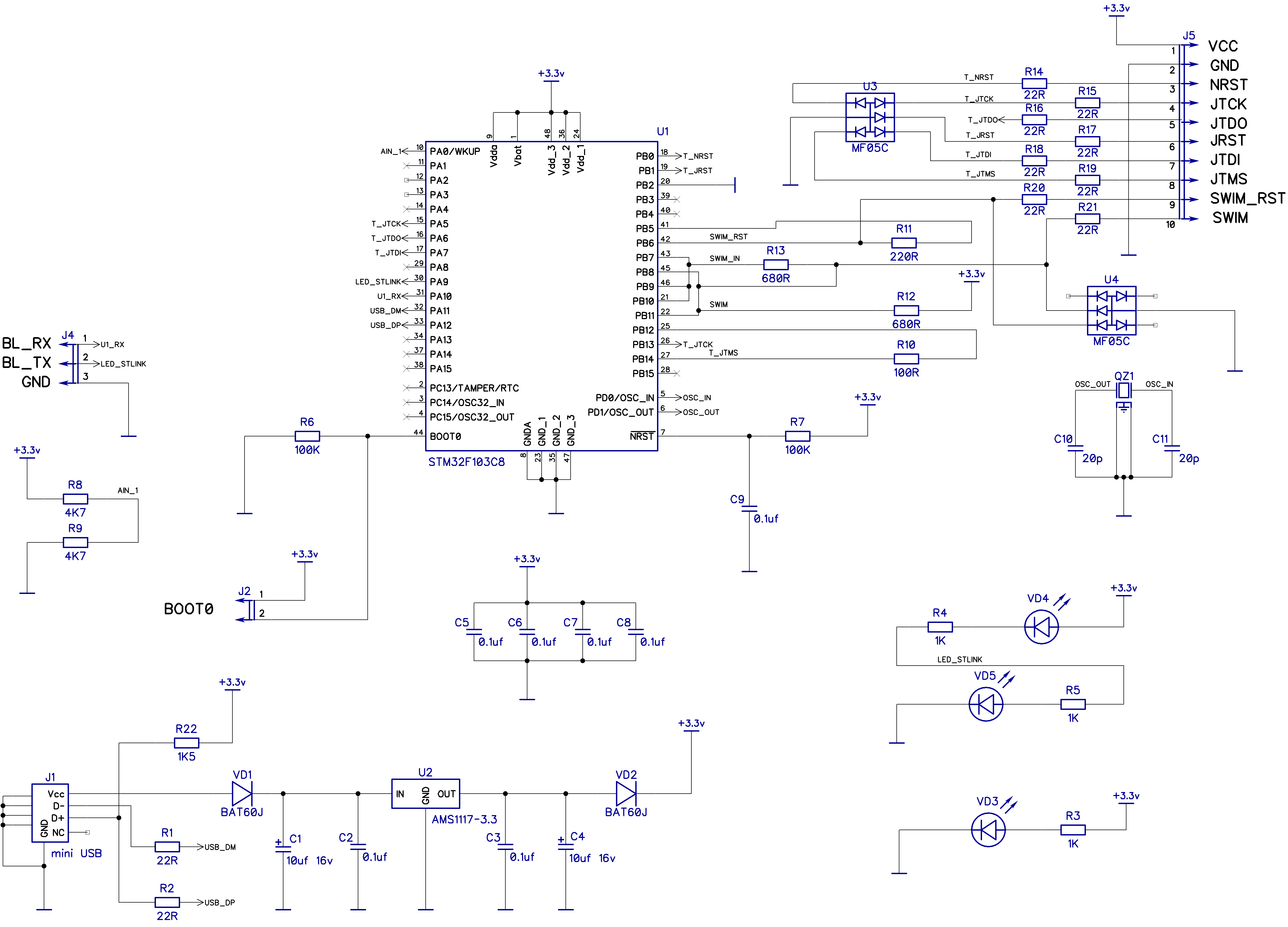
I started with the latest github version of the Black Magic Probe software and added platform support for the stm32f103c8t6 boards you find on ebay. I call it the ‘jc66_coreboard’ platform, as that is the label printed on the silk screen. Any board with the same pin outs should work (See Red Pill Blue Pill post for more info about the hardware). The new platform is based mostly on the already existing stlink platform source with changes to support the different hardware pin outs and features.

The ebay “Red Pill” board loaded with the Black Magic Probe firmware acting like a programmer:
Image
by Rick Kimball, on Flickr

Target board (another “Red Pill” board) connections from the “Red Pill” BMP programmer:
Image

I’ve attached a zip file containing the blackmagic.bin file, the blackmagic elf file, and patch file for the source. ( NOTE: I will fork BMP github code and create a branch with the source changes). For now, just download and unpack the zip and then upload the bin or elf file to your jc66_coreboard.

If you want to build the source yourself, do something like the following:
$ git clone https://github.com/blacksphere/blackmagic
Cloning into 'blackmagic'...
remote: Counting objects: 3463, done.
remote: Compressing objects: 100% (2/2), done.
remote: Total 3463 (delta 0), reused 0 (delta 0), pack-reused 3461
Receiving objects: 100% (3463/3463), 1.70 MiB | 0 bytes/s, done.
Resolving deltas: 100% (2331/2331), done.
Checking connectivity... done.
$ cd blackmagic
$ unzip ../bmp_jc66_coreboard.zip
Archive: ../bmp_jc66_coreboard.zip
inflating: blackmagic
inflating: blackmagic.bin
inflating: bmp_jc66_coreboard.patch
$ patch -p1 <bmp_jc66_coreboard.patch
patching file src/Makefile
patching file src/command.c
patching file src/platforms/common/cdcacm.c
patching file src/platforms/jc66_coreboard/Makefile.inc
patching file src/platforms/jc66_coreboard/Readme
patching file src/platforms/jc66_coreboard/jc66_coreboard.png
patching file src/platforms/jc66_coreboard/platform.c
patching file src/platforms/jc66_coreboard/platform.h
$ make
$ cd src
$ make install # assuming it go OK, you will have to change the path for the st-write utility to match your system

Replies20

RogerClark Mon Dec 05, 2016 10:23 pm

Rick

Why did you move the vector table, are you loading it where the sketch normally resides, i.e at 0x2000 hex ?

I’ll need to give the STlink binary a try on my Black Pill (All my blue pills now have broken USB connectors :-( )

But on the Baite STlink it would not enumerate at all on USB, which is a bit strange, as all you seem to have done is change the vector table and the TMS pin, and I can’t see how that would effect the USB enumeration on Baite STlink

Rick Kimball Mon Dec 05, 2016 10:25 pm

Roger wrote:Why did you move the vector table, are you loading it where the sketch normally resides, i.e at 0x2000 hex ?

RogerClark Mon Dec 05, 2016 10:26 pm

BTW.

According to @denis the Baite STlink has the same circuits as the all STLinks e.g.

http://www.avrki.ru/picture/articles/sa … ink_v2.jpg

So there isnt any USB enumeration hardware

Umm.. Strange that blacksphere’s precompiled binary did work on it, nor did the version I compiled myself

Rick Kimball Mon Dec 05, 2016 10:32 pm

RogerClark wrote:…But on the Baite STlink it would not enumerate at all on USB, which is a bit strange, as all you seem to have done is change the vector table and the TMS pin, and I can’t see how that would effect the USB enumeration on Baite STlink

RogerClark Mon Dec 05, 2016 10:34 pm

Yep

PS. I tried using gitter, do you still have an account or did you delete it again?

Rick Kimball Mon Dec 05, 2016 10:39 pm

OK, I moved the discussion over there to gitter

RogerClark Tue Dec 06, 2016 12:37 am

OK. I can’t remember where I found those drivers, but it was somewhere on the blacksphere site.
However they may have since removed the originals from their site

michael_l Tue Dec 06, 2016 10:43 am

Roger, Driver I was using was dated 2011 and used USB VID 0483, PID 5740. Current one uses VID 1D50, PID 6018. Funny thing is that yesterday I managed somehow to brake my ST link V2 clone. Windows does not recognize the device anymore, no leds etc. Good thing is that BMP on bluepill seems to work okay.

RogerClark Tue Dec 06, 2016 8:03 pm

michael,

Do you think its a hardware of software problem with your STLink ?

michael_l Tue Dec 06, 2016 9:23 pm

Well I guess it must be the hardware because I didn’t flash anything to it. Maybe I accidentally put 3.3V to GND or something.

RogerClark Tue Dec 06, 2016 9:50 pm

michael_l wrote:Well I guess it must be the hardware because I didn’t flash anything to it. Maybe I accidentally put 3.3V to GND or something.

RogerClark Tue Dec 06, 2016 10:02 pm

BTW.

Getting back to the original topic ;-)

FYI.

The STLink binary on blacksphere’s website (linked from the Readme on their github repo), are not actually usable.

The compiled binaries do not contain the new Blackmagic bootloader, (blackmagic_dfu.bin) which sits at the base of flash.
They are the main / runtime code that needs to be flashed to 0x8002000

So in order to flash the BMP onto a STLink, you still need to build from source, because Gareth is not going to publish compiled binaries for the stm32 version of blackmagic_dfu.bin – basically for commercial reasons, because Blacksphere make money from selling the BMP hardware rather than from the software.

So… I’ve attached the STLink binaries I built last night, both the blackmagic_dfu.bin which needs to be flashed to 0x800000 and also blackmagic.bin which needs to be flashed to 0x8002000

You can just flash blackmagic_dfu.bin to 0x800000 and then restart the board and then upload blackmagic.bin via the BMP’s own DFU, (as documented here https://github.com/blacksphere/blackmag … g-Firmware )

But if you’ve already got the Serial or STLink etc uploader open , its going to be quicker and easier just to do both of them in that tool

RogerClark Tue Dec 06, 2016 10:05 pm

Edit.

I may have a chat with STM to find out if there is any way to write an updater (a bit like the Segger updater) which allows users to replace their STLink firmware on their Nucleo with the Segger JLink code.

To see if they would be interested in allowing update from STLink to Blackmagic probe. But I suspect that for various reasons they would not be open to this. (especially as there would be no official way back to STLink)

devan Wed Dec 07, 2016 2:05 am

RogerClark wrote:I may have a chat with STM to find out if there is any way to write an updater (a bit like the Segger updater) which allows users to replace their STLink firmware on their Nucleo with the Segger JLink code.

To see if they would be interested in allowing update from STLink to Blackmagic probe. But I suspect that for various reasons they would not be open to this. (especially as there would be no official way back to STLink)

RogerClark Wed Dec 07, 2016 2:20 am

@devan

Very interesting

How big is the STLink bootloader ?

The BMP code is normally set to have its base address at 0x8002000, but I know we could change this to match the STLink code address

RogerClark Wed Dec 07, 2016 3:07 am

@devan

Thanks for the links to those articles

I’m not sure if I’m reading this correctly, but the bootloader for all STLInk boards may be the same, apart from the USB VID PID, and the ST Firmware update tool may be reading this data to determine which firmware to install

But perhaps there is some other ID data in the bootloader which the ST uploader reads in order to determine which firmware to upload.

Of course if we make a BMP version and encrypt it, it doesn’t make much difference as long as the bootloader just accepts our BMP code.

devan Wed Dec 07, 2016 3:28 am

Flashing the STLink-v2 bootloader onto an STLink-v2-1 causes the updater to pick the STLink-v2 firmware, so I’m pretty sure that the bootloaders are not the same.

Unfortunately, I didn’t dump the STLink-v2-1 bootloader correctly, so doing any further analysis is difficult unless I sacrifice another Nucleo board.

RogerClark Wed Dec 07, 2016 4:18 am

@devan

Have you tried changing the VID/PID on the bootloader ?

I presume you can get hold of a copy of the STLink binary that was on some russian forum. It would be easy to use a hex editor to find and change the VID /PID pair as those sorts of things are usually stored close to each other in the binary

BTW. Does the bootloader set the read protection on the STLink binary, or do you think the main binary protects its self (possibly both). But even if the app protected its self, the simple thing to do would be to prevent the bootloader jumping to the main STLink binary at all, so it couldn’t protect its self

Rick Kimball Wed Dec 07, 2016 4:43 am

* chuckles * I thought you were all hardware guys ? Normally, software types like me would be spending days looking for a software solution to fix a problem like this : )

I guess I most becoming more of a sparky. It only took me abot 15 minutes to switch a few solder bridges, load the bmp stlink platorm, and switch the solder bridges back. Now I have a very useable stm32vl discovery board running the latest bmp firmware. Now I just need to get the courage to solder some bodge wires for the uart port.

-rick

Post a reply