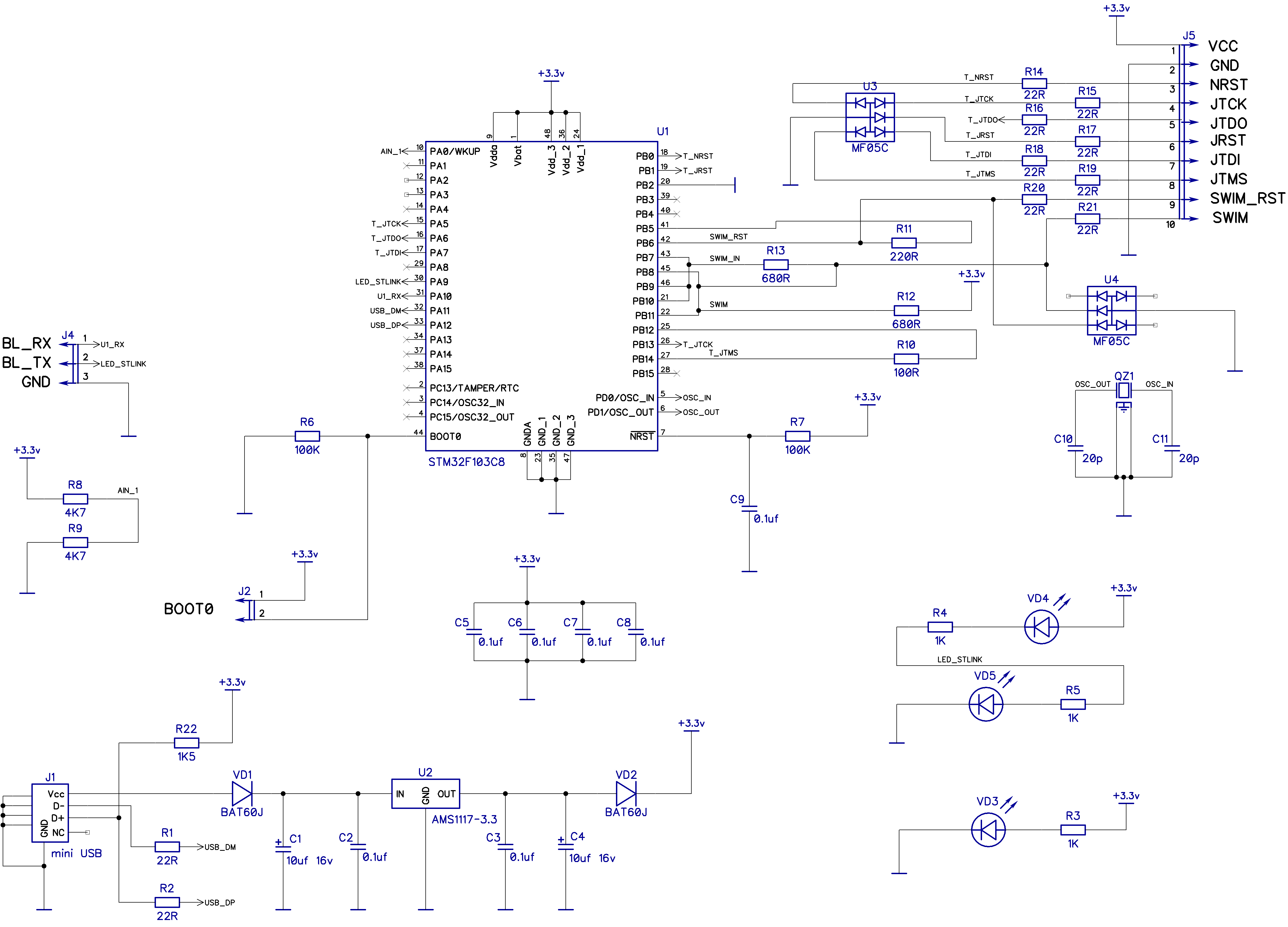
I’ve had a blue pill with stm32duino bootloader working for years. Then I found out the bootloader got updated recently and is now faster so I thought I’d update it. And since Roger suggested me to look at updater.ino sketch in another thread I gave it a go. I read it was for Maple Mini only but I thought the blue pill was close enough hardware-wise so that the bootloader update would work.
Now the blue pill is bricked. In normal mode the USB stays in 1eaf:0003, reset does not change it (is this the permanent mode I read about somewhere?), a sketch cannot be uploaded.
When I tried to reflash the bootloader using stm32flash (serial to PA9/PA10 pins, jumper 0 switched etc) I got the following message:
Interface serial_posix: 57600 8E1
Failed to read ACK byte
Unexpected reply from device on command 0x01
Any idea how to resurrect it, please?
EDIT June 18
Good news: Blue pill is not bricked. It can be resurrected via the PA9/10 pins and stm32flash.
I have confirmed that the issue above (non-working stm32flash) is caused by using CH340G based USB-UART adapter in Ubuntu 16.04. This Ubuntu has Linux kernel 4.4 and in that version (and all other versions < 4.12) Linux does not support parity on CH340G. Unfortunately stm32flash uses 8E1 mode (even parity) so it cannot connect to STM32.
Possible solutions: using CP2102 based USB-UART adapter (confirmed working), using newer Linux kernel (not tried yet), using different OS like MS Windows (will not try).
You need to update the bootloader with either an stlink or the internal bootloader like you are trying.
It is unlikely the mini bootloader bricked the MCU, but not impossible. The maple mini drives a pin as output to control the usb enumeration. If you had that pin connected to either VCC or GND it would cause a short, and depending how long the short it cause some damages.
That being said, I dont remember anyone in the forum actually damaging the MCU with just the wrong bootloader so far.
The updater sketch could be used to update the bluepill bootloader too if you modify it. You need to convert the bootloader bin file to an hexadecimal text string, and replace the one in the sketch, which corresponds to the mini.
Are you sure you have the TX/RX pins wired properly?


The stm32flash loader relies on python, correct? Which version of python are yoy using? Afaik the flash loader is compatible with v2.6 but not with v3
I had a similar issue running the loader with python v3
That depends on your OS, on linux and OSX it is a compiled c program.
I also tried two different USB-serial adapters, with CP2102 and CH340G chipsets. No difference.
I tried powering the blue pill by 3.3V rail and also by 5V rail. Same results (BTW, in the bricked state it consumes 11 mA).
What else? I’m going to build ST-Link binary for Linux right now.
Now I can go back to my OTA update project.
I have several blue pill boards that aren’t recognized at 57600 but work ok at a faster rate.
Even if you think they are correct, I’d try swapping them over
I don’t know why you can’t admit that the board does not react to the serial1 activity. If you never seen that before just go ahead and use the updater.ino on your own blue pill.
Also, two days ago I revived the board using ST-Link and now I am hacking on it happily again so we can kinda close this issue and thread. If somebody else ever runs into similar issue then we can suggest them to go for ST-Link directly – it indeed helps.
And yes, Roger, I tried swapping the RX/TX once as I was really desperate when you were suggesting that I cannot connect RX and TX correctly. It did not help
I have some which I have to connect TX to TX (RX to RX) and some where I have to swap over.
I’ve no idea why you can no longer connect to the MCU via serial USB, as that feature is part of the silicon of the MCU.
Theoretically there is no way to disable this.
If you can upload via STLink, you may want to check that you have not accidental damaged either the Serial1 TX or RX pins e.g. ESD on either pin etc.
I have tried stm32flash binary again (both self-compiled / from stm32duino package), does NOT work (57600, 115200, 230400).
~/arduino-1.8.2/hardware/stm32/tools/linux/stm32flash$ ./stm32flash /dev/ttyUSB0
stm32flash Arduino_STM32_0.9
http://github.com/rogerclarkmelbourne/arduino_stm32
Interface serial_posix: 57600 8E1
Failed to read ACK byte
Unexpected reply from device on command 0x01
At last I’ve got an idea to test using Serial1.println() – works correctly.
If the uart1 is in silicon, as you say, then the only faulty thing could be stm32flash. But I have used the same tool for flasing the stm32duino bootloader few years ago (even the same version: 0.4).
maybe your china clone dongles aren’t generating the proper parity bits?
do you have a real ftdi dongle or a real arduino with an ftdi chip?
I don’t have any real FTDI but could perhaps use Arduino Nano or Maple Mini as an USB-Serial adapter.
This is getting interesting so I’ll keep you informed. It’s starting to look like I’m an idiot with Linux. It would be a good outcome of this brick accusation to document that using UART1 on STM32 in Linux requires more than one dollar USB adapter.
But even using STMs official Gui based exe tool, I found that some boards need multiple reset and retries before it will connect.
The first STM32 board I bought (an “Ugly board”) was particularly bad, and it took me ages of messing around to upload anything to it.
Yes, I have just tested the CP2102 as a plain USB-Serial and it’s indeed dead.
Hmmm. I’m going to order one CP2102 based adapter, or upgrade to kernel 4.12 (that comes with fixed CH340G driver).
STM32F103-DualCDC available here:
As far as I can tell, the stlink target doesnt have functional uart, but the swlink does have uart, and does run on the BP
Coincidently, yesterday I build a modified version of the swlink code to run on the Baite STLInk dongles that I have (as they have a F103C8), I kept the uart alt pin mapping, but have to moved the SWDIO and SWCLK
I am not sure if the BMP will run on the normal cheap STLink dongles that you can buy for a few dollars, but they often uses F101 or lesser processor.
BTW. I think Baite no longer use the F103 on their STLink 
Opps. Didnt see the UART 2 definition.
The swlink target seems better for some of the STLink dongles e.g. See this post
http://www.stm32duino.com/viewtopic.php?t=1357&start=11
Specifically this schematic http://www.avrki.ru/picture/articles/sa … ink_v2.jpg
the swlink target uses UART1 but on its alternative pins (PB6 and PB7) , which should connect to SWIM_RST and SWIM, however when I tried it on my dongle, it didnt seem to work.
I’ll need to debug it on a BP which doesnt have a load of pins connected together, as there is a possibility that one of the other pins connected on the PCB to PB6 or PB7 is driving the pin,
Either that, or there is a miss configuration in the BMP code.
CP2102:
$ ./arduino-1.8.2/hardware/stm32/tools/linux64/stm32flash/stm32flash -b57600 -C /dev/ttyUSB0

stm32flash Arduino_STM32_0.9
http://github.com/rogerclarkmelbourne/arduino_stm32
Interface serial_posix: 57600 8E1
Version : 0x22
Option 1 : 0x00
Option 2 : 0x00
Device ID : 0x0410 (Medium-density)
- RAM : 20KiB (512b reserved by bootloader)
- Flash : 128KiB (sector size: 4x1024)
- Option RAM : 16b
- System RAM : 2KiB
CRC computation
CRC address 0x08020000 (100.00%) Done.
CRC(0x08000000-0x08020000) = 0x53ebb014