
I have bought a STM32F103 clone on ebay – it looks like this
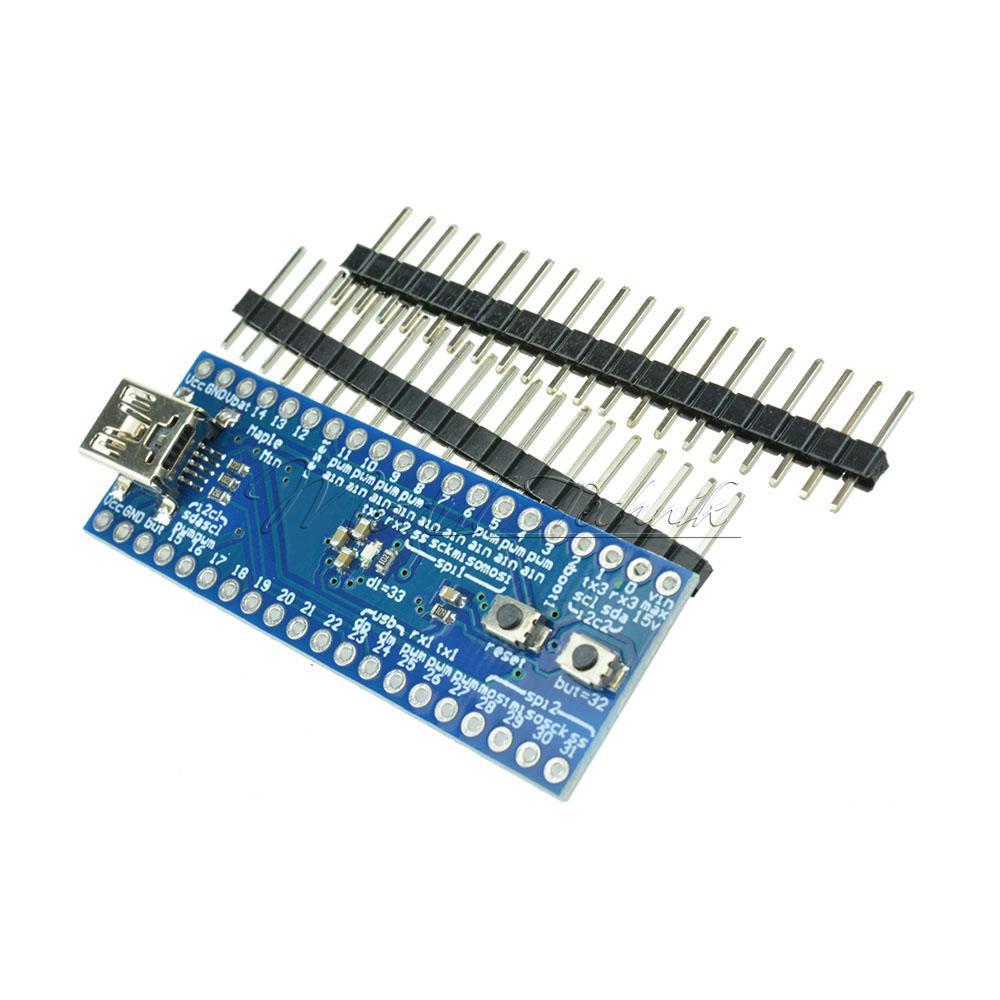
I tried to flash the bootloader with the “STM32 flash demonstrator” but always getting “incorrect device signature”.
If i try to check if the serial works (with hpyer terminal, sending “DEL”) i get the “y” response, but only one time right after reset.
When i plug in usb, it installts a ComPort
The comport is labeled in the Arduino IDE as “Maple Mini”, in the Port menu i see exactly this: “COM3 (Maple Mini), COM4 (Arduino/Genuino Uno)”. The uno is mine.
This made me think, maybe the installed the MAPLE bootloader on that board, but sadly i cant upload a sketch trying all the Options. Always getting “DFU error”.
So… is there any way to install the standard bootloader?
Which bootloader have you tried to flash?
When i select maple mini in the boards, i’m getting this error wehn uploading:
maple_loader v0.1

Resetting to bootloader via DTR pulse

Searching for DFU device [1EAF:0003]...

dfu-util - (C) 2007-2008 by OpenMoko Inc.

Couldn't find the DFU device: [1EAF:0003]
This program is Free Software and has ABSOLUTELY NO WARRANTY
You should not have any “CPU speed” option, which is only available for “Generic …” types.
Now, if you could not flash the STM32duino bootloader, then you should use the “original bootloader” option.
Btw, to flash the new bootloader you have to connect BOOT1 to GND and press simultaneously the two available buttons. This enters a mode in which you can flash the new bootloader over serial 1.
They look somewhat similar, but are not. If the board is a bluepill, it will not enumerate the USB port correctly when compiling for the maple mini.
If the board is indeed a maple mini clone, then you need to install the bootloader for the maple mini, not the generic one.
File maple_mini_boot20.bin from this repo:
https://github.com/rogerclarkmelbourne/ … 1/binaries
http://docs.leaflabs.com/static.leaflab … oader-mode
viewtopic.php?f=32&p=25537#p25537
https://www.youtube.com/watch?v=rvNIeKuXsxM
normally after that the sketch should install over dfu via usb

