
I’ve developing a number of breakout boards for the BluePill, using KiCad
I could not find an existing KiCad symbol for the BluePill, so I’m developing my own
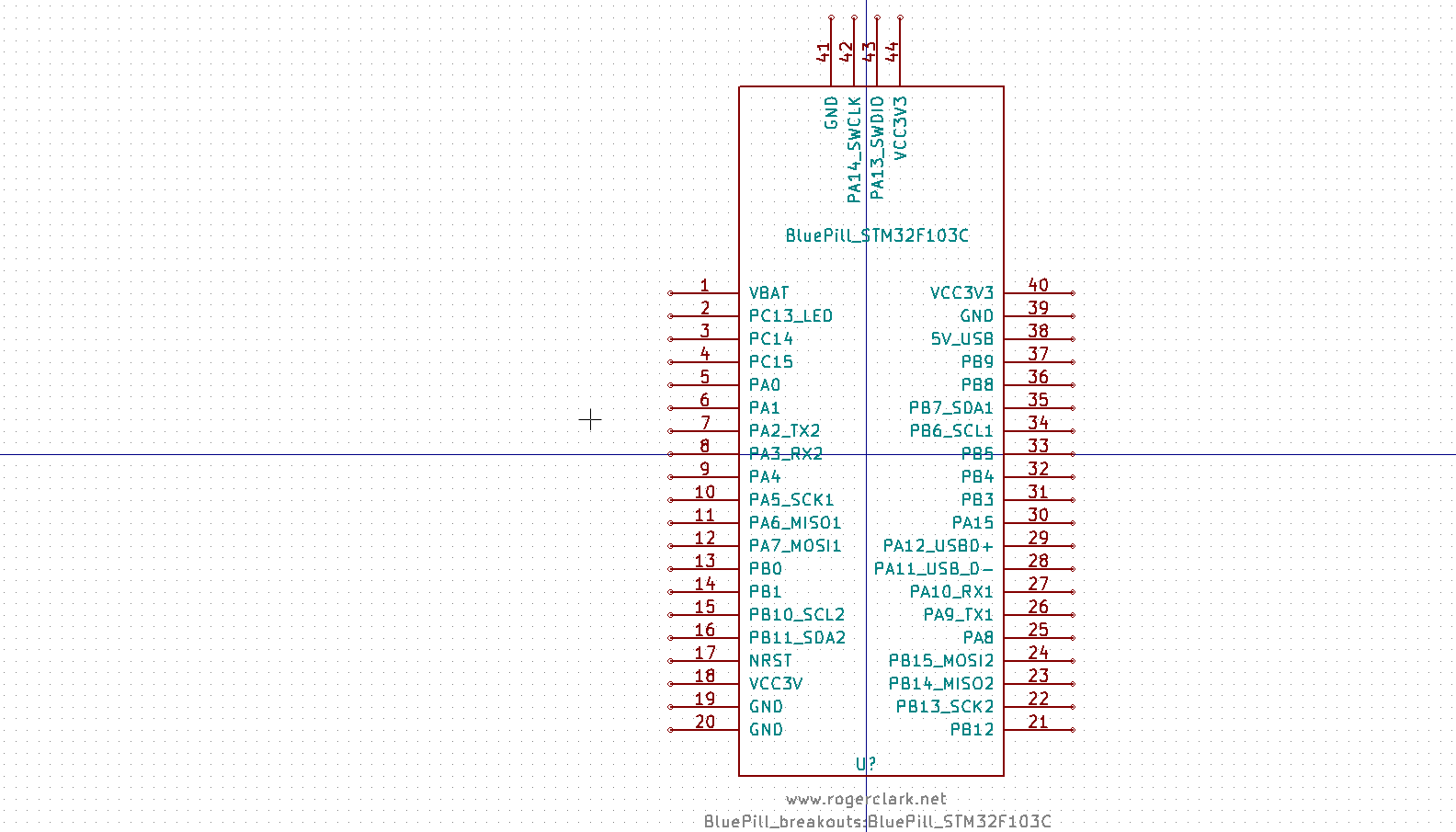
- BluePill_STM32F103C.png (26.12 KiB) Viewed 2390 times
If anyone fancies looking to see if they can see any errors, please feel free
- kicad_libs.zip
- (5.62 KiB) Downloaded 479 times
I copied the bluepill_breakouts.dcm and bluepill_breakouts.lib into C:\Program Files\KiCad\share\kicad\library
and the folder BluePill_breakouts.pretty into C:\Program Files\KiCad\share\kicad\modules but the bluepill component is not visible to the Kicad (Windows 10).
Any suggestion ?
I have my libs in a separate folder. I didnt think you were supposed to put your own libs in with the default KiCad libs
(Window’s permissions are also hostile to putting your own files in the “Program Files\…” tree
Try putting them somewhere inside “My Documents” and then in the Schematic Editor (Or the Part Library Editor) use
Preferences->Component Libraries-> “Component library files – Add”
To Add the lib file for the schematic symbol
For the Footprint (PCB Symbol), you’ll need to add it to the Footprint editor using
Preferences->Footprint libraries wizard
It would be good to add the 3d package of the Bluepill. I saw that FreeCAD is capable of creating such parts.It needs a lot of work of course
3D would be nice, but I have no idea who to create the 3D, and not the time build it.
Edit.
It looks like OpenSCAD files can be used, but they need to be resaved via meshlab, as Wings3D needs binary format STL files and OpenSCAD exports plain text STL.
FreeCad looks interesting, but I have used OpenSCAD, so that would be an easier way for me to create the 3D.
Its just a shame that the process to create the VRML files involves so many different programs.

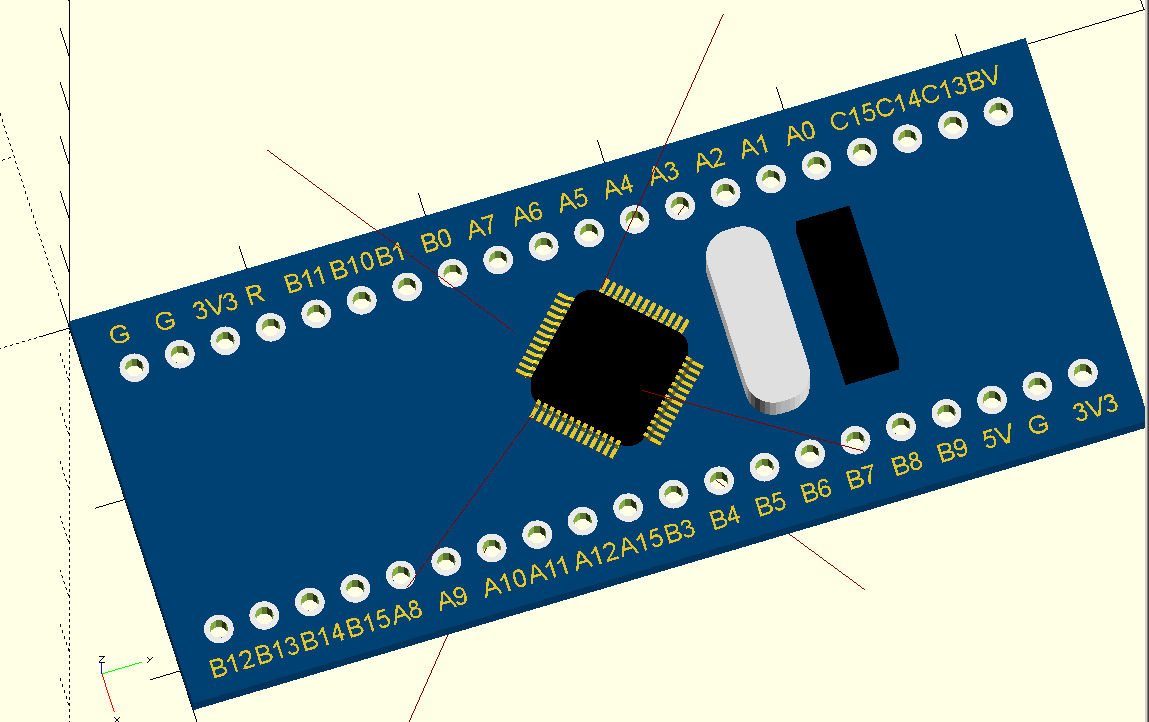
- bp_openscad.png (40.06 KiB) Viewed 2301 times
Just realised that the export in STL to go to Wings3D does not contain any colour information
So each pin etc needs to be selected and the colour set etc
Perhaps FreeCad has an export method to Winds3D which includes colour

srp
[zmemw16 – Mon Sep 11, 2017 7:54 am] –
you’ll probably spend more time looking for one that does do it and in learning how to
srp
I’ve done some research and it looks like there is no other option, except to use Wings3D to colour the model, whether it comes from FreeCad or OpenSCad
I am sure that Roger has already seen that

I watched that video. It shows I have to add the colour to the model using Wings3D.
The STL format that is exported from OpenSCAD or FreeCad does not contain colour information
After even more messing around, I’ve found FreeCad will open OpenSCAD files and everything except the text seems to work.
I do get some strange effects where some components are duplicated at position 0,0 which seems to a bug in FreeCAD where its retaining data from a previous OpenSCAD file I’ve opened. So its seems to be best to restart FreeCAD each time to make sure its internal cache is empty
Thanks
[visinet – Tue Nov 14, 2017 8:48 pm] –
Roger, if you don’t mind me asking, what are your breakout boards going to provide? I ask because I am currently in the process of looking to get a carrier/breakout board for the Blue Pill or RobotDyn Black Pill designed around my specific product requirements and if what you are currently working on is close to my requirement maybe we could talk about having to do a version that meets my requirements, for a price of course. If that might be possible please send me a PM and maybe we could chat about it.Thanks
I was designing a board that was Blue Pill + ILI9341 touch, but then I got side tracked and added a OV7670 camera
Then I added the SD connections on the ILI9341 board,but I’ve realised that it makes the too expensive, as it needs to be much bigger for it to reach the far side of the ILI9341 board where the SD pins are located
So I’m backtracking to perhaps just Blue PIll + ILI9341
However, I’ve had too many other things on the go, and this project went onto the back burner
I saw the attached file in one of the first posts, not sure if that’s the latest you have.
I’ll dig it out and post it (but I’m busy at work at the moment, so it will need to wait until this evening)
![[SOLVED] Discovery STM32F100RB — Trouble with timers and library structure](https://sparklogic.ru/wp-content/uploads/2019/11/st-stm32vl-discovery-90x90.jpg)


